Redesign your website and maintain its ranking in search engines
In today's online world, having an attractive and modern website has become a must for any business or person who wants to reach a wider audience. This is the question that many people ask, and the answer is simple: Yes, it can have an impact, but you can control this effect to be positive.
Website redesign is an exciting and important process, it gives your site a new look, improves the user experience, and may increase visitor engagement. However, this process carries with it some risks related to SEO or what is known as SEO Search Engine Optimization (SEO). SEO is a set of practices that help your site appear in the first ranks of search results when people search for certain words.
This article aims to be a simplified and non-specialized guide, explaining to you how you can redesign your website without losing your hard-built ranking in search engines. We will cover the most important points to pay attention to, and how to avoid common mistakes, to ensure a smooth and successful transition to your new site.
Why does a redesign affect your site's ranking in search engines?
Imagine that search engines like Google are regular visitors to your site. They examine your pages, understand their structure, and analyze their content on an ongoing basis. When you redesign your site, you change that structure and content, and this causes search engines to reevaluate your entire site. This new evaluation may lead to a change in your site's ranking. It is very normal to notice some fluctuation in the organic traffic that comes from search engines after the launch of the new design. Some studies show that the change Traffic may range from 0% to 20% during the first month after launch. This fluctuation is temporary in most cases, as search engines need some time to understand the new changes and re-index your site. However, there are some common mistakes that can lead to bigger problems and a permanent decline in your site's ranking. The most important of these problems are:
-
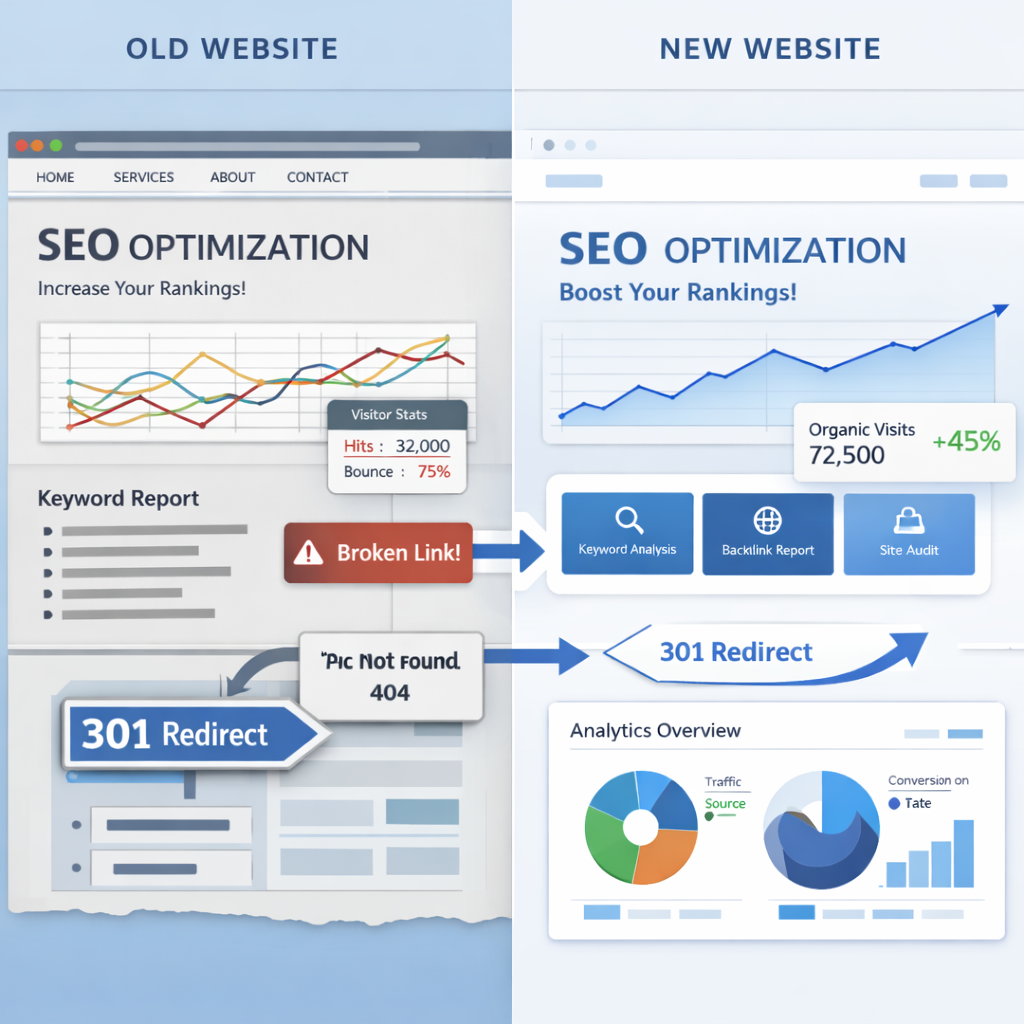
Broken 404 Not Found: If you change URLs without telling search engines the new path, search engines and visitors will encounter pages that don't exist, and this will hurt your site's ranking.
-
Redirect Chains: When you convert an old page to a new one, the conversion should be straightforward. If there are several consecutive conversions from page A to >page B > page C, this slows down the speed of the site and negatively impacts SEO.
-
Reducing or making content ambiguous: Some may be tempted to remove detailed content or replace it with generic text during a redesign to simplify the look. This reduces the value of content to search engines and makes it harder for your site to appear in search results for long-tail or niche keywords.
-
Change site structure and internal links: Internal links that link your site's pages to each other are very important for search engines to understand your site's structure and the importance of each page. Any ill-considered change in these links can confuse search engines.
-
Deleting high-value pages: Sometimes, old pages are deleted during a redesign without realizing that they were bringing in a lot of visitors or conversions. These pages need to be maintained or routed properly.
A checklist for a successful website redesign while maintaining SEO
to ensure that the redesign process is successful and does not negatively affect your site's ranking, here is a practical checklist that you can follow:
First: Audit your current site before you start any design work
You should know exactly what's in your current site. Perform a thorough site audit. This means gathering detailed information about all of your site's pages, URLs, internal links, H1, H2, and meta descriptions for each page. This audit serves as a snapshot of your current site, and ensures that nothing of value is lost.
Use tools like Google Search Console and Google Analytics or any analytics tools you use to identify which pages bring in the most organic visitors, the ones that get clicked the most, and those that drive the highest conversion rates such as purchases or signups. These pages are your site's treasures, and your top priority should be maintaining them.
Tip: Try as much as possible not to change the URLs of these important pages. If they need to be changed, make sure they are routed correctly and we'll talk about that later. Keep their original content that helped them stay on top, and make sure there are strong, clear internal links to point to them.
Second: Maintain the best-performing pages
After identifying the most important pages in the first step, make sure that those pages remain prominent and clear in the new design. For example, if you own an online store, your best-selling product pages, master group pages, or important buying guides should be easy to access and clear to visitors and search engines.
Tip: Update these pages gradually. Don't change everything at once the design, content, links. Start with simple design tweaks, then move on to updating content, and finally, if necessary, change page titles making sure there are the correct 301 conversions. This step-by-step approach helps search engines better understand the changes and reduces the risk of sudden drop in ranking.
Third: Plan clean and relevant Redirects
conversions Redirects are the biggest risk to SEO during a redesign. If you change the URL page and don't direct visitors and search engines to the new one, they will encounter a 404 error page, which means the page doesn't exist. This severely damages your site's ranking. 301 Redirect Conversion: is the most important type. It tells search engines that the page has permanently moved to a new title, and it carries with it most of the SEO value of the old page.
Tips for transfers:
-
One-to-one conversion: You should direct each old page to the new page that is most relevant to it. Don't direct all old pages to the homepage or public page, this confuses search engines.
-
Avoid Conversion Chains: Make sure the conversion is direct Page A -> Page C and not a series of conversions Page A -> Page B > Page C. Multiple conversions slow down the site and hurt SEO.
-
Post-launch verification: Use Google Search Console to check for any 404 errors or incorrect conversions right after the new site launches. Fix them immediately.
Fourth, treat content as an important asset for SEO, and not just stuffing your designs
is king, and this statement is very true in the world of SEO. Don't underestimate the value of detailed and informative content during a redesign. You may think that a clean design means less content, but this can hurt your ranking.
Content Tips:
-
Maintain keywords: Make sure that the new content still contains the keywords that old pages were targeting and that were bringing you visitors.
-
Quality and detail: Detailed and good content helps search engines better understand the topic of your page, and increases your chances of appearing in search results for long-tail keywords.
-
Above the Fold: This refers to the content that is visible to the visitor as soon as the page is opened without having to scroll. Make the most important content and keywords visible in this section.
Fifth , maintain a clear site structure and strong internal links The
structure of a site is the way your pages are organized. It should be logical and clear to both visitors and search engines. Internal links are links that link your site's pages to each other, and they help search engines discover your pages and understand the relationship between them.
Tips for Site Structure and Internal Links:
-
Hierarchical structure: Make your site's structure hierarchical, with the homepage at the top, followed by homepages, then subpages, and so on. This makes it easier for search engines to understand your site.
-
Meaningful internal links: Use descriptive and clear text for your Anchor Text. Instead of clicking here, use Learn About Our Web Design Services.
-
Links from the homepage: Pages that link from the homepage or from the main navigation menu are more important to search engines.
Sixth: Monitor analytics daily after launch
After launching your new site, don't stop monitoring. Use Google Analytics and Google Search Console daily to monitor your site's performance. Look for any sudden drop in traffic, an increase in 404 errors, or any other issues.
What are you watching?
-
Organic Traffic: Is There a Significant Decline?
-
404 errors: Did pages not appear?
-
Bounce Rate: Are Visitors Leaving Your Site Quickly? This could indicate a user experience issue.
-
Page Loading Speed: Is the New Site Slower Than the Old Site?
If you notice any issues, investigate and fix them immediately. Constant monitoring is the key to success after a redesign.
Redesigning your website is a great opportunity to revamp and improve it, but it requires careful planning to maintain your SEO efforts. By pre-auditing, protecting important pages, planning good conversions, treating content as a valuable asset, maintaining a clear site structure, and continuous monitoring after launch, you can ensure a smooth and successful transition to your new site without sacrificing your search engine ranking.
Always remember that the goal is to improve the user experience while keeping your site clear to search engines. By following these guidelines, you'll be able to enjoy a new and engaging site, while maintaining the organic visitor flow you've worked so hard to achieve.