
Integrated Accounting Software
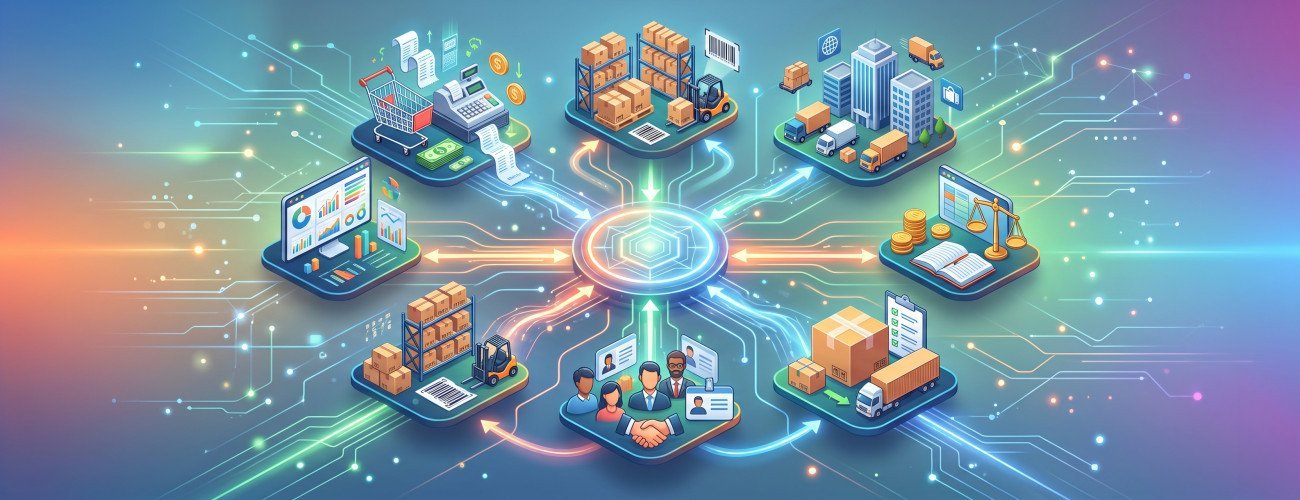
As companies grow and sales, purchases, and the number of customers and suppliers increase, relying on Excel files or separate software for each department becomes more difficult. This is where the importance of using integrated accounting software that can bring financial and operational data together in one system instead of re-entering the same transaction in multiple places becomes clear.
For example, when a sales invoice is issued, the process is not limited to recording revenue; it may also affect the customer's account, inventory, cost of sales, tax, and financial reports at the same time.
An integrated accounting system can therefore be defined as:
A system that connects an organization's financial and operational processes, such as sales, purchases, inventory, customers, suppliers, accounts, and reports, so that transaction data moves between different modules in an organized manner without needing to be entered manually more than once.
In its guide to Accounting System Components Aamal Soft explains that an accounting system is not limited to the software itself, but also includes the data, documents, procedures, accounts, controls, and reports that work together within an interconnected cycle.
What Is Integrated Accounting Software?
Integrated accounting software combines core accounting functions with related operations, making sales, purchasing, inventory, customer, and supplier data part of the accounting system itself.
Instead of the sales department working with one program, the warehouse using a separate file, and the accountant using another program, the data becomes interconnected.
A simple example:
Sales invoice → Customer account → Inventory movement → Cost of sales → Revenue → Financial reports
This integration helps reduce discrepancies in figures between departments and gives management a clearer picture of the business.

What Are the Main Components of an Integrated Accounting System?
Before choosing a system, make sure it covers the functions your business actually needs.
| Module | Main Functions |
|---|---|
| General Accounting | Journal entries, chart of accounts, and reports |
| Sales | Invoices, customers, collections, and returns |
| Purchasing | Suppliers, purchase invoices, and payments |
| Inventory | Items, quantities, costs, and warehouses |
| Point of Sale | Managing cashier operations when needed |
| Cash and Banks | Receipts, disbursements, and bank accounts |
| Taxes | Handling tax within transactions |
| Branches | Managing more than one branch or warehouse |
| Permissions | Controlling user access |
| Reports | Profits, sales, inventory, and accounts |
Integration does not mean that all modules must be used; rather, the organization should be able to choose the functions it needs and expand later.
Discover: The Best Accounting Software in Saudi Arabia
How Does Integrated Accounting Software Work?
The value of integration becomes apparent when carrying out daily operations.
Example of a Sales Transaction
When a product is sold, an integrated system can:
- Issue the sales invoice.
- Record the customer or payment method.
- Reduce the product quantity in inventory.
- Record revenue.
- Record the cost of the product sold.
- Handle tax according to the item's settings.
- Update the customer's account if the sale is on credit.
- Update sales and profit reports.
As a result, employees do not need to manually record the same transaction in accounts, inventory, and reports.
Digital pro is certified accounting software that includes functions connecting sales with inventory, product movements, suppliers, and warehouses, along with financial and accounting reports and sales and profit analysis.
What Is the Difference Between Standard Accounting Software and Integrated Software?
Not every program that issues invoices or records journal entries qualifies as integrated accounting software.
| Comparison | Limited Accounting Software | integrated accounting software |
|---|---|---|
| Journal Entries and Accounts | Yes | Yes |
| Invoices | Usually | Yes |
| Inventory | Limited or separate | Integrated |
| Purchasing | May be limited | Connected to accounts |
| Suppliers | Basic | Integrated |
| Point of Sale | Usually separate | Can be connected to the system |
| Reports | Usually accounting only | Financial and operational |
| Branches | Limited | Scalable |
| Re-entering Data | Higher | Lower |
| Management View | Fragmented | More centralized |
Therefore, the right question when purchasing software is not simply: Does it include all accounting operations?
Instead:
Does accounting connect the other operations that affect the company's figures and reports?
Ready to Try the System?
Start your free trial or talk to the sales team for help choosing the right solution.
Why Do Companies Need Integrated Accounting Software?
Reducing Duplicate Data Entry
If a sales invoice is recorded in the cashier software and then entered again in accounting, the likelihood of errors increases.
Integration makes a single transaction the source of several interconnected updates.
Inventory Accuracy
When sales, purchases, and returns are connected to inventory, item movements become clearer.
For a broader understanding of how to organize inventory, you can review the guide to Warehouse Management, which explains the cycle of receiving, storage, issuing, transfers, and stocktaking.
Better Profitability Tracking
Higher sales do not necessarily mean higher profits.
Business owners therefore need to connect:
Sales + Product Costs + Expenses = A Clearer View of Profitability
DigitalPro provides reports on sales, profits, items, and inventory, as well as identifying the most profitable products.
Improving Customer and Supplier Tracking
Integration provides visibility into:
- Customer balances.
- Uncollected invoices.
- Supplier balances.
- Purchases.
- Payments.
- Account statements.
Instead of the accountant having figures that differ from those of the sales or purchasing department, everyone relies on the same database.
Ready to Try the System?
Start your free trial or talk to the sales team for help choosing the right solution.
What Reports Should an Integrated Accounting System Provide?
A system's strength is measured not only by the number of transactions that can be entered, but also by its ability to turn them into information for management.
Key reports include:
- Income statement.
- Statement of financial position.
- Trial balance.
- Account activity.
- Customer account statement.
- Supplier account statement.
- Sales reports.
- Profit reports.
- Inventory movement.
- Inventory valuation.
- Best-selling items.
- Slow-moving products.
- Branch reports.
- Tax reports.
The reporting software from DigitalPro enables the tracking of financial statements, revenue, expenses, sales, inventory, and customer and supplier balances using the data recorded within the system.
Integrated Accounting Software for Sales and Inventory
Integration is particularly important for trading businesses because every sales transaction directly affects inventory.
For example:
If inventory before the sale is:
100 units
And the quantity sold is:
5 units
The remaining balance should be:
95 units
At the same time, revenue, cost of sales, payment method, and the invoice must be recorded.
This is why shops, supermarkets, and distribution companies benefit more from systems that combine point of sale, inventory, and accounting than from using a separate program for each function.
You can review the guide to The Best Accounting Software for Retail Stores when assessing your retail business's needs, making sure to link it to the article's final URL after publication.
What Is the Difference Between an Integrated Accounting System and an ERP System?
There is considerable similarity, but the two terms are not always identical.
An integrated accounting system focuses primarily on connecting accounting with the operations that affect it, such as sales, purchases, and inventory.
Meanwhile, ERP can extend to a broader scope that includes:
- Human resources.
- Manufacturing.
- Project management.
- Advanced procurement.
- Supply chains.
- Customer management.
- Other operations depending on the system.
Accounting software may therefore be part of an ERP system, and an integrated accounting system may offer extensive functions without the organization needing all ERP modules.
Ready to Try the System?
Start your free trial or talk to the sales team for help choosing the right solution.
On-Premises or Cloud Accounting System?
An integrated accounting system can be on-premises or cloud-based.
On-Premises System
Suitable for some organizations that rely on:
- On-site devices and point-of-sale terminals.
- Local networks.
- Intensive on-site operations.
- Integrations with cashier devices.
Cloud System
Suitable when an organization needs:
- Access from more than one location.
- Remote branch monitoring.
- Multiple-user operation.
- Internet access.
- Centralized data management.
Aamal Soft offers a cloud accounting system that enables the tracking of accounts, financial transactions, and reports, with solutions for sales, purchases, inventory, and different business sectors.
For further information, you can review the guide to Online Accounting Software.
Which Businesses Benefit from an Integrated Accounting System?
| Business Type | Most Important Functions |
|---|---|
| Retail Stores | POS, inventory, purchasing, accounts |
| Supermarkets | Barcodes, point of sale, inventory, promotions |
| Restaurants | Orders, inventory, costs, point of sale |
| Distribution Companies | Warehouses, suppliers, customers, collections |
| Service Companies | Accounts, invoices, customers, expenses |
| Multi-Branch Companies | Centralized management, permissions, reports |
| Small Businesses | Ease of use with scalability |
No single set of functions suits every business, so it is best to choose modules based on the organization's actual workflow.
Discover: The Best Accounting Software in Saudi Arabia
How Do You Choose Integrated Accounting Software?
Before purchasing the software, test these processes:
- Create a customer and a supplier.
- Record a purchase invoice.
- Add inventory.
- Issue a sales invoice.
- Process a return.
- Record receipts and disbursements.
- Review the customer's account.
- Review the supplier's balance.
- Review inventory.
- Generate an income statement.
- Test user permissions.
- Try an additional branch or warehouse.
If data moves between these processes without being manually re-entered in several places, this is an important indicator of the level of integration.
Sign up now for the free trial without a Visa card and test the entire system to determine how well it fits your workflow, or contact our team to identify the most suitable system for your business.
What Is Aamal Soft's Role in Providing Ideal Software Solutions?
Aamal Soft offers more than one model depending on the nature of operations.
The accounting and sales software from DigitalPro connects accounts with point of sale, sales, inventory, suppliers, warehouses, and reports, making it particularly worth evaluating for stores, distribution companies, and businesses with intensive item movements and point-of-sale operations.
Organizations that prefer online management can try a cloud accounting system.
The most important consideration is not choosing a system based on the number of features, but determining whether it covers the operations the organization needs today and can keep pace with future expansion.
Common Mistakes When Choosing an Integrated Accounting System
Avoid:
- Choosing a system based on price alone.
- Purchasing accounting software that is separate from inventory even though the business needs it.
- Not testing returns.
- Overlooking user permissions.
- Not testing reports.
- Not considering future branches.
- Choosing complex functions that employees will not use.
- Not testing point-of-sale integration with accounts.
- Migrating data before cleaning and reviewing it.
Frequently Asked Questions
What Is Integrated Accounting Software?
It is software that connects accounts with other operations such as sales, purchases, inventory, customers, suppliers, and reports within one system.
What Is the Difference Between Accounting Software and an Integrated Accounting System?
Limited software may focus on journal entries and invoices, while an integrated system connects accounting with the operational processes that affect the figures.
Is an Integrated Accounting System Suitable for Small Businesses?
Yes, provided it is easy to use and scalable, and does not force the organization to operate modules it does not need.
Does Integrated Accounting Software Manage Inventory?
If it is designed for trading businesses, one of its main functions is connecting sales and purchases with inventory and item movements.
Can Integrated Accounting Software Be Cloud-Based?
Yes. There are integrated cloud systems that allow accounts and operations to be managed online, such as the cloud accounting system from Aamal Soft.
Is DigitalPro an Integrated Accounting System?
Yes, DigitalPro is the best integrated accounting system in Saudi Arabia because it combines accounts and point of sale with inventory tracking, product movements, supplier and warehouse management, and financial and accounting reports, so it can be evaluated as an integrated system for businesses that need these functions.
Conclusion
Choosing integrated accounting software does not mean looking for the program with the largest number of screens, but for the system that makes the company's data interconnected.
Instead of having:
Sales software + An inventory file + Accounting software + Reporting spreadsheets
The goal becomes creating an interconnected cycle:
Sales → Inventory → Customers → Accounts → Reports
The less data entry is duplicated and the more operations are interconnected, the more useful an integrated accounting system becomes for control, performance analysis, and decision-making.
This is why DigitalPro can be tried as an accounting and sales system for organizations that need to combine accounts, inventory, sales, and point of sale, or a cloud accounting system if the priority is a cloud accounting system.
You can also explore Aamal Soft's solutions and compare the available modules with your organization's actual workflow before choosing the right system.
Start Managing Your Business with Complete Flexibility
Try Aamal Soft for free. Start issuing your ZATCA-compliant electronic invoices within minutes.
- Free trial with no credit card
- 24-hour technical support
- ZATCA-compliant