
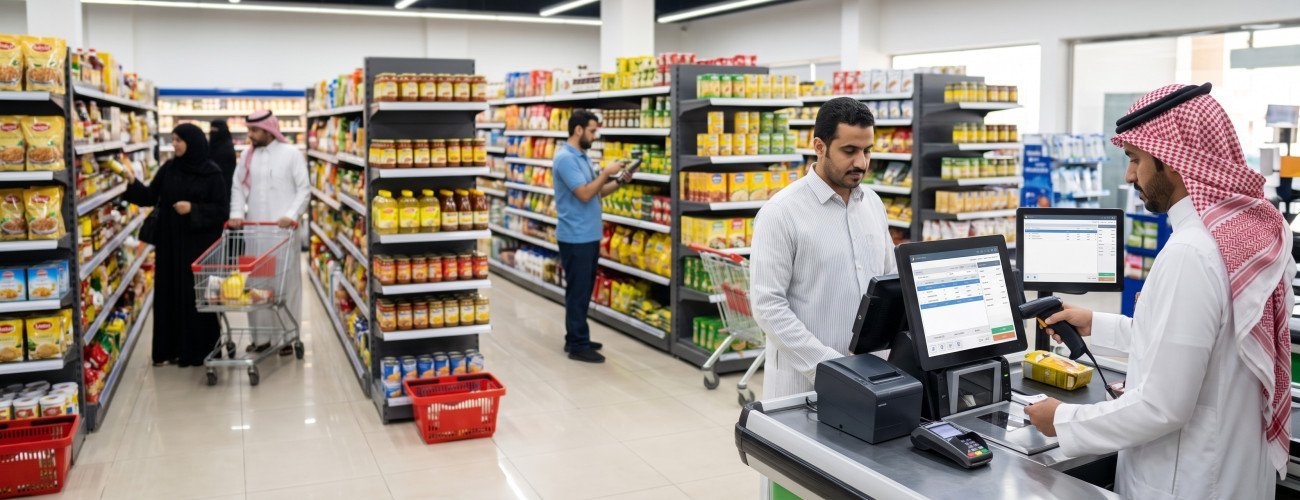
Best Accounting Software for Retail Stores in Saudi Arabia
Choosing the best accounting software for retail stores does not mean looking for software that only records income and expenses, because a retail store relies daily on a connected sequence of operations that starts with purchasing, receiving, and storing goods, then selling them at checkout, and ends with updating inventory, accounts, and reports.
That is why store owners need a system that connects sales, purchases, inventory, points of sale, customers, suppliers, returns, and tax instead of managing each operation in a separate program or file.
In brief:
The best accounting software for retail stores is a system that automatically reflects every sale in the invoice, inventory, accounts, and reports using the same data.
Aamal Soft offers DigitalPro for Accounting and Point of Sale as a system that combines sales operations, accounting, inventory, suppliers, warehouses, and reports, making it a solution worth evaluating for businesses that need more than just a cash register program.

What Is Accounting Software for Retail Stores?
Accounting software for stores is a system used to manage daily financial and commercial operations within a store, from entering products and purchases to recording sales and tracking profits and inventory.
The system should help manage:
- Sales.
- Purchases.
- Inventory.
- Points of sale.
- Customers.
- Suppliers.
- Expenses.
- Returns.
- Payment methods.
- Tax.
- Invoices.
- Profits.
- Reports.
The real difference between good accounting software and a limited program becomes clear when a store owner can move from a sales report to product movements, an invoice, or inventory without searching across several different systems.
Discover: The Best Cloud Accounting Software in Saudi Arabia
What Are the Key Features of the Best Accounting Software for Retail Stores?
Before purchasing any system, you can use the following table as an evaluation checklist:
| Function | Why Does the Store Need It? |
|---|---|
| Points of sale | Record sales quickly |
| Barcodes | Speed up product entry and reduce errors |
| Inventory | Know available quantities |
| Purchases | Track supplies and the cost of goods |
| Suppliers | Track accounts and payments |
| Returns | Update sales and inventory correctly |
| Payment methods | Cash, cards, and other methods |
| Expenses | Know operating costs |
| Accounting | Understand the financial position and profits |
| Tax | Calculate tax on applicable transactions |
| Electronic invoicing | Issue invoices according to applicable requirements |
| Reports | Understand sales, profitability, and inventory |
| Branches | Monitor multiple stores as the business expands |
| Permissions | Control cashier and employee permissions |
1. Connecting Accounting Software to Points of Sale
The point of sale is at the heart of daily operations in many stores.
When the cashier scans a product barcode, the system should be able to perform a series of connected operations:
- Identify the product.
- Display the price.
- Calculate the discount, if applicable.
- Process tax according to the item's settings.
- Record the payment method.
- Issue the invoice.
- Reduce the inventory quantity.
- Record the sale.
- Update reports.
- Record the financial impact of the transaction.
That is why the best accounting software for stores does not separate checkout from accounting.
The DigitalPro page presents a point-of-sale screen that supports functions related to barcodes, search, offers, discounts, returns, and payment methods, while connecting operations to inventory and reports.
To learn more about points of sale, explore the guide to the best point-of-sale software in Saudi Arabia.
2. Managing Inventory in Real Time
Inventory is one of the main reasons stores need an integrated system.
A store owner needs to know:
- How many units of each product are available?
- Which products are about to run out?
- Which products are slow-moving?
- Which products sell the fastest?
- What is the cost of inventory?
- What quantities are available at each branch?
- What happened to the quantity when a return was processed?
When a product is sold, its quantity should decrease in the inventory associated with the branch, and when a resalable return is recorded, the quantity should be restored through the correct process.
Good inventory management also helps plan purchases instead of reordering based solely on personal judgment.
Aamal Soft's point-of-sale guides explain the importance of connecting POS to inventory movements, purchases, suppliers, transfers between warehouses, and stocktaking.
For a broader understanding of the inventory cycle, review the warehouse management guide.
3. Managing Purchases and Suppliers
Profit in stores depends not only on the selling price but also on the cost of purchasing the product.
That is why the system should help track:
- Supplier invoices.
- Purchase prices.
- Supplied quantities.
- Supplier balances.
- Payments.
- Returns to suppliers.
- The latest purchase cost.
- Product movements.
When purchases are connected to inventory and accounting, it becomes easier to identify the actual cost and monitor whether an increase in supplier prices affects the profit margin.
Discover the guide: Sales and Purchase Accounting
4. Understanding Actual Profit, Not Just Sales
A store may achieve high sales, but that does not necessarily mean it is generating good profits.
Management needs to know:
Profit = Sales - Cost of Goods - Expenses and Related Costs
That is why the software should not only display sales value, but also provide reports such as:
- Total sales.
- Returns.
- Discounts.
- Product costs.
- Profits.
- The most profitable products.
- The best-selling products.
- Inventory movements.
- Employee or branch performance.
DigitalPro presents financial and accounting reports and analyses of sales, profits, and items, in addition to tracking inventory, suppliers, and warehouses.
If the business needs broader analysis, you can explore the Smart Reporting Portal.
5. Managing Returns Correctly
A return is not simply deleting a sale.
When a product is returned, the system should know:
- The original invoice number.
- The product's value.
- The payment method.
- The return's impact on sales.
- Can the product be returned to inventory?
- Is the product damaged?
- How is the customer's account affected?
- How does it appear in reports?
That is why returns management connected to inventory and accounting is one of the most important functions to test before choosing the software.

6. Accounting Software for Stores and Barcodes
If you have dozens or hundreds of products, relying on manual product searches becomes impractical.
Barcodes help with:
- Speeding up sales.
- Reducing selection of the wrong item.
- Making stocktaking easier.
- Identifying products.
- Managing product units.
- Improving the cashier experience.
That is why you should ensure the system is compatible with the barcode scanner, printers, and checkout devices you will use.
Aamal Soft Software Company provides a range of point-of-sale devices, and you can also review the Digital H6 POS terminal if the store needs an integrated checkout device.
7. Tax Calculation and Electronic Invoicing
If the store operates in Saudi Arabia, it is important to consider value-added tax and electronic invoicing when choosing the system.
The standard value-added tax rate in the Kingdom is 15% on supplies subject to the standard rate.
Therefore, the system should be able to handle:
- Taxes on products.
- Discounts.
- Returns.
- The invoice.
- Totals before and after tax.
- Reports required for review.
The Zakat, Tax and Customs Authority also continues to implement Phase Two electronic invoicing requirements for targeted groups through the linkage and integration mechanism.
That is why it is important for the invoicing solution used to comply with the requirements that apply to your business.
You can review the electronic invoicing software guide for more details about electronic invoicing.
An Accounting App for Shops and Stores or an Integrated System?
Some business owners look for an accounting app for shops and stores to manage accounts quickly, and a simple app may be suitable if the business is very small and does not have complex inventory or a large number of transactions.
However, as the store grows, additional needs should be considered.
| Business Situation | Simple Accounting App | Integrated System |
|---|---|---|
| Recording income and expenses | Suitable | Suitable |
| A limited number of invoices | Suitable | Suitable |
| Hundreds of products | Limited | Better |
| Accurate inventory management | May be limited | A core function |
| Points of sale | May not be available | Integrated |
| Barcodes | Depends on the app | Usually available |
| Multiple warehouses | Limited | Better |
| Multiple branches | Limited | Better |
| Detailed profitability reports | Limited | More extensive |
| Connecting sales to accounting | Not always | One of the key functions |
Therefore, you should not choose an app based solely on how easy it is to download, but according to the expected volume of operations over the coming years.
Ready to Try the System?
Start your free trial or speak with the sales team for help choosing the right solution.
The Best Accounting Software by Store Type
Not all stores are alike, so priorities differ.
| Store Type | Key Required Functions |
|---|---|
| Grocery stores and supermarkets | Fast POS, barcodes, inventory, offers, expiry dates |
| Clothing and footwear | Sizes, colors, returns, and inventory |
| Perfumes and cosmetics | Items, offers, branches, and inventory |
| Electronics | Items, serial numbers, inventory, and warranties according to operations |
| Spare parts | A large number of items and fast search |
| Wholesale store | Warehouses, customers, credit sales, and suppliers |
| Multiple branches | Centralized management and comparative reports |
That is why describing a system as “the best” without understanding the business is inaccurate.
The best accounting software for retail stores is the software that most closely matches the actual workflow within your store.
What Does a Supermarket Specifically Need?
Supermarkets are among the businesses that most need integration between checkout and inventory.
They often need:
- Fast barcode scanning.
- Handling a large number of items.
- Offers and discounts.
- Scales when needed.
- Multiple payment methods.
- Suppliers.
- Inventory monitoring.
- Stocktaking.
- Returns.
- Daily reports.
That is why a system that combines POS, inventory, and accounting becomes more efficient than accounting software that is separate from checkout.
Discover: The best accounting and point-of-sale software in Saudi Arabia.
What Do Stores with Multiple Branches Need?
Management needs change when a second branch opens.
It becomes important to know:
- Sales at each branch.
- Inventory at each location.
- The best-selling products at each branch.
- Employee performance.
- Transfers between warehouses.
- Overall business performance.
- User permissions.
It is preferable to choose a scalable system from the start instead of moving all company data to another system after the business grows.
Ready to Try the System?
Start your free trial or speak with the sales team for help choosing the right solution.
How Do You Test Accounting Software for Stores Before Purchasing?
Before making a decision, do not settle for a presentation of features.
Try a complete sales scenario:
- Add a new product.
- Add a supplier.
- Record a purchase invoice.
- Print a barcode for the product when needed.
- Sell the product at checkout.
- Apply a discount.
- Try more than one payment method.
- Process a return.
- Review inventory.
- Generate a sales report.
- Review the product's profitability.
- Test another user's permissions.
- Test an additional branch or warehouse if your business needs them.
All these features and more are available in the best accounting software in Saudi Arabia from Aamal Soft
How Does DigitalPro Serve Retail Stores?
Aamal Soft's role here is not limited to providing accounting software for stores, but extends to connecting the sales process with financial and inventory operations.
DigitalPro provides functions that include tracking inventory and product movements, managing suppliers and warehouses, analyzing the most profitable products, and providing financial and accounting reports, alongside operating points of sale.
All these features are particularly useful for a store that wants to avoid separating checkout data from accounting and inventory.
You can therefore start testing DigitalPro for Accounting and Point of Sale, which accommodates stores with inventories exceeding 2 million products across multiple branches and devices.
Common Mistakes When Choosing Accounting Software for a Store
Avoid these mistakes:
- Buying cash register software without inventory management.
- Choosing software based on price alone.
- Not testing returns.
- Overlooking the stocktaking method.
- Not testing barcodes.
- Not reviewing profit reports.
- Using separate systems for accounting and checkout without integration.
- Not considering expansion and branches.
- Overlooking permissions.
- Not testing the software on the store's devices.
Frequently Asked Questions
What Is the Best Accounting Software for Retail Stores?
It is a system that connects sales and points of sale to inventory, purchases, accounting, returns, tax, and reports while matching the product types and the size of the store.
What Are the Key Features of Accounting Software for Stores?
It provides tracking of points of sale, barcodes, inventory, purchases, suppliers, returns, payment methods, expenses, tax, and reports.
Is Cash Register Software Considered Accounting Software?
Not always. Cash register software may be limited to recording sales, while an integrated accounting system connects sales to inventory, accounting, purchases, and reports.
Do I Need Different Software for Each Branch, or Is DigitalPro Enough?
Not necessarily. DigitalPro is suitable for branches and allows warehouses, permissions, and reports to be monitored through one organized interface.
Is an Accounting App for Stores Suitable for a Small Store?
Yes, it is suitable if operations are limited. However, if the store has a large inventory, points of sale, barcodes, and suppliers, it is better to evaluate a more integrated system such as DigitalPro from Aamal Soft.
Is DigitalPro Suitable for Retail Stores?
Yes, the DigitalPro accounting system is suitable for stores that need to combine points of sale, inventory, suppliers, accounting, and reports, especially if management wants to reduce the use of separate systems.
Conclusion
The search for the best accounting software for retail stores should begin with understanding the workflow within the store.
If the system only records sales, you will still need to manage inventory, purchases, and accounting elsewhere.
An integrated system, however, connects:
Product Purchase → Inventory → Checkout → Sale → Payment → Return → Accounting → Reports.
This is the value you should look for whether you run a grocery store, clothing store, perfume shop, spare parts store, or a chain of branches.
Aamal Soft offers an integrated accounting system as an accounting and point-of-sale system that connects sales to inventory, suppliers, warehouses, and reports, making it a suitable option to evaluate when looking for accounting software for stores, without turning the article into an absolute recommendation that does not suit every business.
You can also explore Aamal Soft's solutions, then determine the required number of products, branches, points of sale, and warehouses, and afterward request a trial to test an actual sales cycle before adopting the system.
Start Managing Your Business with Complete Flexibility
Try Aamal Soft for free. Start issuing your ZATCA-compliant electronic invoices within minutes.
- Free trial without a credit card
- 24-hour technical support
- ZATCA compliant