

Online Accounting Software: Your Guide to Managing Your Company’s Accounts from Anywhere
Managing an organization’s accounts is no longer tied to a specific device inside the office or scattered Excel files shared among employees. By using an online accounting software, business owners and accountants can track sales, purchases, expenses, customers, suppliers, inventory, and reports through a centralized system accessible based on the permissions granted to each user.
The importance of cloud accounting software increases when managing multiple branches, when an accountant works remotely, when a manager needs continuous access to financial indicators, or when an organization wants to minimize manual data entry between cashier, inventory, and accounting software.
However, choosing software should not depend solely on its ability to operate via the internet; it requires evaluating core accounting features, data security, ease of use, e-invoicing compliance, reporting, technical support, and scalability. In this guide, you will learn how online accounting software works, its key features, the difference between cloud and desktop systems, and how to choose the right platform for your business in Saudi Arabia.
What is Online Accounting Software?
An online accounting software is a digital system operating over the internet that allows you to record financial transactions and manage invoices, sales, purchases, inventory, customer accounts, and vendor details through a web browser or supported devices.
This type of system is also known by several names, including:
- Cloud Accounting Software.
- Online Accounts Software.
- Cloud Accounting System.
- Online Invoicing Software.
- Online Accounting and Inventory Software.
- Integrated Online Accounting Software.
Data is stored in a secure cloud environment managed by the system provider or technology infrastructure vendor, rather than being restricted to a single device within the company. Users log into the software using their accounts, passwords, and assigned permissions.
When a sales invoice is created, the system—depending on its modules and settings—can automatically update company sales, customer accounts, taxes, payments, inventory levels, and related financial reports. This reduces the need to re-enter transactions across multiple files or programs.
Describing a system as "online" does not mean it performs all accounting functions automatically or that it fits every business type; some systems focus exclusively on invoicing, while others offer comprehensive management for accounts, sales, purchases, inventory, and point-of-sale (POS).
How Does Online Accounting Software Work?
Online accounting software operates through a centralized database that receives transactions from authorized users, processing them according to system settings for chart of accounts, taxes, inventory, and access controls.
The standard workflow typically follows these steps:
- Creating the company account and entering basic company information.
- Setting up the Chart of Accounts.
- Adding taxes, currencies, and cost centers.
- Adding customers and suppliers.
- Entering products, services, and warehouses.
- Adding users and assigning their permission levels.
- Inputting opening balances.
- Recording daily transactions.
- Reviewing reports and periodic closings.
When a sales representative creates an invoice, its financial impact appears immediately for the accountant without waiting for physical paper copies or separate file transfers. Similarly, when a purchase invoice is logged, vendor balances, received quantities, and inventory costs update automatically based on system configurations.
A unified database helps eliminate discrepancies between sales, inventory, and accounting figures. However, it does not prevent human errors resulting from incorrect data entry or improper initial chart setup. Successful implementation requires accounting review and structured user training.
What is the Difference Between Online and Desktop Accounting Software?
The primary difference is that online accounting software operates within a cloud environment accessible over the internet, whereas desktop software is typically installed locally on a single machine or local server within the company premises.
| Comparison Criteria | Online Accounting Software | Desktop Accounting Software |
|---|---|---|
| Operating Mode | Via internet, browser, or app | On a single device or local network |
| Remote Access | Available based on permissions | Requires additional setup and integration |
| Data Storage | In a cloud environment | On a local computer or server |
| Updates | Handled automatically by provider | Requires manual installation or maintenance |
| Multi-Branch Management | Easier centralized management | May require complex network infrastructure |
| Data Backup | Managed per provider policy | Usually the user's responsibility |
| Cost Model | Usually monthly or annual subscription | Upfront license, hardware, and maintenance |
| Offline Operation | Depends on system capabilities | Functions within local network |
| User Expansion | Based on plan and permissions | May require additional user licenses/hardware |
| Technical Support | Mostly remote support | Remote or on-site support |
There is no single choice that suits every organization. Online software is generally ideal for multi-branch companies or businesses needing remote access, whereas desktop software may suit companies operating entirely on a local network or in locations with unreliable internet connectivity.

Key Features of Online Accounting Software
Online accounting software provides a suite of tools that streamline financial and administrative operations, provided its features align with your business type and scale.
Access Accounts from Anywhere
Cloud systems allow authorized users to access data from the office, home, or on the go using supported devices and an active internet connection.
This capability is particularly beneficial for:
- Business owners managing operations remotely.
- Accountants overseeing multiple branches.
- Branch and warehouse managers.
- Companies with distributed remote teams.
- Organizations requiring remote transaction approvals.
Remote access does not mean granting identical privileges to everyone. Every user should only see relevant data—such as granting cashiers sales creation access without exposing financial statements or core setup configurations.
General Ledger and Journal Entries Management
A comprehensive accounting software must provide end-to-end financial lifecycle management tools, going far beyond simple invoice generation.
Essential accounting features include:
- Chart of Accounts.
- Journal Entries.
- Receipt and Payment Vouchers.
- General Ledger.
- Accounts Receivable and Payable.
- Expenses and Income tracking.
- Cost Centers.
- Bank Reconciliations.
- Trial Balance.
- Income Statement (P&L).
- Balance Sheet.
- Customer and Supplier Statement of Accounts.
- Period End Closing.
Accountants should be able to drill down from financial reports directly to source documents and transaction entries to track numbers and audit errors easily.
Invoicing and Collections Tracking
Online invoicing software helps generate, store, share, and track sales invoices while recording payments and outstanding client balances.
Key features to look for:
- Creating Quotations/Estimates.
- Converting Quotes to Invoices.
- Issuing Cash and Credit Invoices.
- Applying Discounts and Taxes.
- Recording Payment Methods.
- Managing Partial Payments.
- Processing Credit Notes/Returns.
- Issuing Modification Debit/Credit Vouchers.
- Tracking Due Dates.
- Generating Accounts Receivable Aging Reports.
- Extracting Customer Statements.
Tracking due dates helps distinguish between recognized sales revenue and actual cash flow, as high credit sales do not guarantee available cash for payroll or vendor obligations.
Sales and Purchasing Management
An effective online accounting system covers the complete sales and purchasing cycle from initial order to final financial postings.
The sales cycle includes:
- Quotations.
- Sales Orders.
- Invoices.
- Discounts.
- Sales Returns.
- Collections.
- Customer Accounts.
- Sales Reports.
The purchasing cycle includes:
- Purchase Requisitions.
- Purchase Orders.
- Vendor Invoices.
- Goods Received Notes.
- Purchase Returns.
- Vendor Payments.
- Purchase Reports.
- Liability Tracking.
Integrating these processes helps control payables, compare supplier quotes, analyze item costs, and prevent chaotic purchasing.
Inventory and Warehouse Management
Commercial enterprises require accounting and inventory software that directly links sales and purchases to stock movements.
Top required functions:
- Product and Service Definition.
- Unit of Measure and Barcode Management.
- Available Stock Levels Tracking.
- Multi-Warehouse Management.
- Inter-Warehouse and Inter-Branch Transfers.
- Stock Audits and Adjustments.
- Damaged Stock Logging.
- Costing Method Tracking.
- Low Stock Alerts.
- Returns Management.
- Expiry Date and Serial Number Tracking (when needed).
Disconnecting inventory from accounting software leads to discrepancies between physical warehouse counts and valuation figures in general ledgers. Direct integration between sales, purchases, stock, and accounts is critical for retail and distribution businesses.
Commercial entities can explore an accounting system combining financial accounting, point-of-sale, item management, inventory, vendors, and reports, along with support for barcodes, returns, multi-units, and price/cost management.
Customer and Supplier Relationship Management
The system builds detailed records for each customer and supplier, consolidating invoices, payments, balances, and transaction history.
Analytical reports provide actionable insights regarding:
- Overdue Customers.
- Expected Collections.
- Payables Due to Suppliers.
- Total Purchases per Vendor.
- Credit Limits.
- Average Collection Period.
- Unpaid Invoices.
- Top Generating Clients.
- Most Active Vendors.
When companies need to manage pre-sales activities, commercial pipelines, and customer support, accounting software can be integrated with a Customer Relationship Management (CRM) system, provided integration scope and data flow are validated beforehand.
Real-Time Financial Reporting
Real-time reports give business owners clear visibility into financial performance, moving beyond bank balance reliance to determine profitability.
Essential financial reports include:
- Profit and Loss Statement.
- Trial Balance.
- Balance Sheet.
- Sales Analysis Reports.
- Purchase Analysis Reports.
- Cash Flow Statement.
- Customer Ledgers.
- Supplier Ledgers.
- Stock Movement Reports.
- Profitability by Item.
- Branch Performance Reports.
- Cost Center Expenses.
However, real-time reporting relies on accurate data entry. All daily transactions, cash accounts, bank reconciliations, inventory counts, and adjustment entries must be complete and reviewed before relying on reported figures.
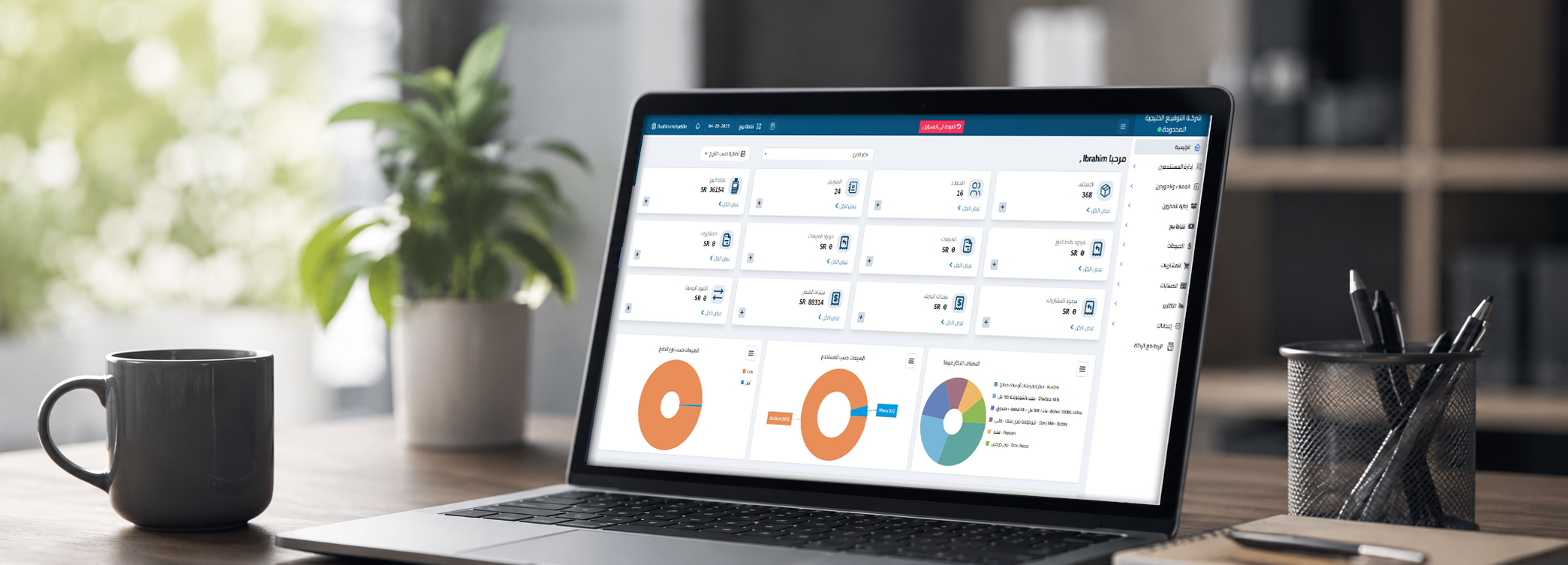
Businesses can utilize the Smart Reporting Portal provided by AamalSoft to monitor key indicators across sales, purchases, expenses, revenues, and inventory.
User Management and Access Control
Role-based access permissions are vital when software is used concurrently by sales, warehouse, accounting, and executive personnel.
Custom user roles can include:
- System Administrator.
- Financial Controller / CFO.
- Accountant.
- Branch Manager.
- Sales Representative.
- Warehouse Keeper.
- Cashier.
- Auditor.
Granular control should cover:
- Viewing Data.
- Creating Transactions.
- Editing Invoices.
- Executing Returns.
- Deleting or Canceling Documents.
- Overriding Prices.
- Granting Discounts.
- Exporting Reports.
- Viewing Profit Margins.
- Modifying Tax and Accounting Settings.
Enforcing strict privilege rules protects sensitive business data and prevents unauthorized system changes.
Centralized Multi-Branch Connection
Online software enables organizations to manage multiple locations from a central database while generating both consolidated and branch-specific reports.
Ideal multi-branch features include:
- Branch Definitions.
- Warehouse Assignment per Branch.
- Location-Based User Restrictions.
- Separating Branch Sales and Expenses.
- Inter-Branch Stock Transfers.
- Branch-Specific Pricing and Promotions.
- POS Till Closings.
- Branch Profitability Comparisons.
- Consolidated Corporate Reporting.
This capability becomes crucial during business expansion, eliminating the operational friction of consolidating fragmented files or separate local software instances.
System Integration Capabilities
System integration reduces double data entry across different business platforms.
A business may need to connect accounting software with:
- Point of Sale (POS) Systems.
- E-Commerce Stores.
- E-Commerce Platforms.
- Payment Gateways.
- CRM Platforms.
- HR & Payroll Systems.
- Sales Rep Mobile Apps.
- Shipping Carriers.
- BI & Reporting Tools.
- Messaging Gateways.
However, seeing a platform logo on a marketing page is not enough. Request a practical demo clarifying:
- What specific data fields sync?
- Is synchronization real-time or scheduled?
- How are connection drops handled?
- How are duplicate transactions prevented?
- Is integration included in standard pricing?
- Who handles technical support for integration errors?
- Do returns, taxes, and inventory levels sync correctly?
AamalSoft provides integration options with various platforms, operational tools, accounting solutions, POS systems, and administrative software, though technical scope should be verified prior to subscription.
Why Should You Use Online Accounting Software?
The true value of online accounting software lies in establishing a single source of truth for financial data, saving time, reducing human errors, enhancing control, and speeding up reporting.
Key business benefits include:
- Reducing reliance on paper ledgers and disconnected spreadsheets.
- Accelerating invoice generation.
- Streamlining receivables and collection management.
- Organizing customer and supplier accounts.
- Linking sales directly to stock control.
- Gaining clear visibility into net profits.
- Monitoring branch performance remotely.
- Minimizing manual entry work.
- Improving authorization and permission controls.
- Speeding up financial statement preparation.
- Maintaining a secure audit trail.
- Improving collaboration between accountants and management.
- Supporting business growth and effortless user scaling.
For instance, a business owner might assume high bank balances indicate strong profitability, overlooking pending supplier payments, upcoming payroll, or accrued tax liabilities. Proper accounting reports clarify real net income, liabilities, and assets far more accurately than cash balances alone.
Ready to test the system?
Start your free trial or speak with our sales team to select the right solution for your business.
Is Online Accounting Software Suitable for Small Businesses?
Yes, online accounting software is highly suitable for small businesses when it delivers required features without unnecessary complexity, priced appropriately for transaction volumes and active users.
Businesses that benefit significantly include:
- Startups.
- Small and Medium Enterprises (SMEs).
- Retail Stores and Outlets.
- Service Companies.
- Contracting Firms.
- Distribution Enterprises.
- Professional Services & Agencies.
- Restaurants and Cafes.
- Multi-Branch Enterprises.
- E-Commerce Businesses.
Small businesses do not necessarily need complex enterprise ERP solutions. They can start with invoicing, expense management, and client tracking, then scale up to purchasing, inventory, and POS modules as operations expand.
Explore DigitalPro Cloud, a leading cloud accounting software for small and medium enterprises, supporting Arabic language, financial reporting, e-invoicing compliance, and multi-device access.
Online Accounting Software and E-Invoicing Compliance in Saudi Arabia
Accounting software used in Saudi Arabia must comply with official e-invoicing (Fatoora) regulations applicable to the tax entity, rather than merely exporting basic PDF invoices.
ZATCA (Zakat, Tax and Customs Authority) mandates structured electronic invoice generation, storage, and processing for Tax Invoices and Simplified Tax Invoices exchanged between buyers and sellers.
Verify system support for your specific organizational requirements:
- Standard Tax Invoices.
- Simplified Tax Invoices.
- VAT Calculation & Reporting.
- Mandatory Invoice Fields and Tags.
- Debit and Credit Notes.
- Secure Record Archiving.
- QR Code Generation (where applicable).
- Cryptographic Security Requirements.
- Phase 2 Integration with ZATCA (Fatoora Platform).
- Multi-Branch and Device Issuance Management.
ZATCA clarifies that taxpayers may acquire compliant e-invoicing solutions from any software provider, provided the platform satisfies technical standards. The published solution provider list is advisory; businesses must verify actual software configuration and compliance against their business model.
Discover top-rated cloud accounting software in Saudi Arabia compliant with E-Invoicing Phase 1 and Phase 2 requirements, officially listed in the approved ZATCA E-Invoicing Solution Providers directory.
Can You Use Online Accounting Software Without an Accountant?
Business owners can use the software to issue invoices, record expenses, and monitor receivables. At AamalSoft, we provide a free demo trial along with onboarding support to assist business owners with initial data entry. However, software does not replace a professional accountant when establishing policies, performing reconciliations, building financial statements, filing tax returns, and auditing entries.
The software automatically performs:
- Arithmetic Calculations.
- Automatic Posting based on predefined rules.
- Data Aggregation.
- Financial Report Generation.
- Document Organization.
- System Notifications.
However, an accountant remains essential for:
- Designing the Chart of Accounts.
- Selecting Accounting Treatments.
- Reviewing Journal Entries.
- Executing Reconciliations.
- Valuing Inventory.
- Analyzing Financial Statements.
- Performing Period Closings.
- Auditing Tax Filings.
- Verifying General Ledger Balances.
- Providing Strategic Financial Advice.
If an invoice is posted to the wrong ledger or an expense is omitted, the system will output incomplete reports regardless of how advanced it is. Optimal results come from pairing solid software with clear workflows and regular accounting supervision.
How to Choose the Best Online Accounting Software?
Selecting the best online accounting software begins with mapping operational requirements, running hands-on scenario tests, and evaluating data security, total cost, technical support, and system scalability.
Define Your Business Nature
Ask key operational questions:
- Do you sell products or services?
- Do you hold stock/inventory?
- Do you operate Point-of-Sale (POS) counters?
- Do you manage multiple branches?
- Do you transact on cash or credit terms?
- Do you require project cost tracking?
- Do you run manufacturing or recipe bills of materials?
- Do you manage table or room reservations?
- Do you run an e-commerce platform?
Service business needs differ vastly from supermarkets, restaurants, hotels, or construction contractors.
Restaurants can evaluate a dedicated restaurant and cafe management system, while hospitality businesses can explore a hotel management system, rather than settling for generic accounting tools lacking specialized industry modules.
Categorize Necessary Features
Divide desired features into three functional tiers:
- Critical Day-One Requirements.
- Growth Requirements for Future Scaling.
- Optional / Nice-to-Have Features.
Common core features include:
- Invoicing.
- Expense Tracking.
- Customer and Supplier Management.
- Sales and Purchasing.
- Inventory Management.
- Access Permissions.
- Financial Reports.
- E-Invoicing Compliance.
- Point of Sale (POS).
- Branch Management.
Test Ease of Use
Ask team members to execute realistic daily transactions during trials, such as:
- Creating an invoice.
- Logging a partial customer payment.
- Entering a vendor invoice.
- Processing a sales return.
- Recording an expense voucher.
- Adding a new inventory item.
- Performing a stock count adjustment.
- Generating a customer account statement.
- Reviewing the Profit and Loss statement.
- Adding a user and setting permission boundaries.
If simple routines take excessive time or feel unintuitive, your operational team will struggle post-deployment.
Evaluate Reporting Flexibility
Ensure financial reports can be dynamically filtered by:
- Date Range.
- Branch / Location.
- User / Cashier.
- Customer.
- Supplier.
- Product / SKU.
- Cost Center.
- Payment Method.
- Warehouse.
Do not rely on marketing screenshots alone—generate test reports using real entry data created during your trial.
Ready to test the system?
Start your free trial or speak with our sales team to select the right solution for your business.
Inspect Data Security Policies
Ask the software vendor regarding:
- Data Center Locations and Hosting Infrastructure.
- Data Transit and At-Rest Encryption.
- Automated Backup Policies.
- Backup Frequency and Retention Period.
- Disaster Recovery and Restoration Procedures.
- Multi-Factor Authentication (MFA).
- Detailed User Audit Logs.
- Password Security Rules.
- Data Ownership and Export Rights.
- Data Handling Procedures upon Subscription Termination.
Verify System Scalability
You should not be forced to migrate systems simply because you added a new branch or employee.
Verify scaling terms:
- Supported User Limits.
- Branch and Warehouse Limits.
- Multi-Company Management Support.
- Subscription Tier Upgrade Options.
- Add-On Module Availability.
- Expansion Licensing Costs.
- Database Performance under High Transaction Volumes.
- Data Migration Path to Higher Enterprise Versions.
Calculate Total Cost of Ownership (TCO)
Look beyond base subscription prices to calculate total costs:
- Base Subscription Fees.
- Additional User Licenses.
- Additional Branches.
- Additional Warehouses.
- POS Terminals.
- Implementation and Training Fees.
- Data Migration Services.
- Technical Support Contracts.
- Customization Charges.
- Integration Fees.
- System Upgrades.
- Hardware or Peripheral Purchases.
An initially inexpensive software option can become costly when essential functional add-ons are included.
Common Mistakes to Avoid When Choosing Online Accounting Software
Frequently made errors include:
- Choosing software based solely on low pricing.
- Purchasing overly complex enterprise software unsuited for actual needs.
- Mismaking a basic invoicing tool for a complete accounting system.
- Excluding accountants from the evaluation process.
- Failing to test real-world operational scenarios.
- Overlooking hidden user and branch costs.
- Neglecting vendor backup policies and SLA terms.
- Granting excessive system privileges to operational staff.
- Ignoring data export capability and format lock-ins.
- Assuming integration claims work without live validation testing.
- Failing to clean up legacy data before system migration.
- Skipping staff training sessions.
- Launching live operations without reconciling opening balances.
- Failing to confirm regulatory e-invoicing compliance.
- Lacking contingency plans for internet connectivity outages.
Avoid importing legacy customer, vendor, and item records without audit. Migration offers a prime opportunity to clean master data, remove duplicates, and reconcile balances.
Online Accounting Solutions by AamalSoft
AamalSoft provides accounting and management solutions including DigitalPro Cloud, integrated accounting and POS systems, and tailored solutions for restaurants, hotels, customer management, and reporting portals.
Core capabilities of DigitalPro Cloud:
- Integrated Cloud Accounting System.
- Complete Financial and Transaction Management.
- Full Native Arabic Language Support.
- Document Archiving and Attachment Management.
- ZATCA E-Invoicing Compliance.
- Operational and Financial Reporting.
- Interactive Dashboards and Analytics.
- Cross-Device and Multi-Screen Compatibility.
- Tailored Packages for SMEs.
- Specialized Modules for POS, Contracting, Distribution, and F&B.
Business leaders can review AamalSoft software solutions to determine whether they require purely cloud accounting, an integrated accounting and POS suite, or specialized sector-specific software.
For retail businesses relying on cashiers, barcodes, and inventory, DigitalPro POS & Accounting manages sales, returns, multi-pay, item master files, vendors, multi-warehouse stock, and profit analytics.
No single program is "the best" for every company without understanding operational context. DigitalPro Cloud suits small businesses needing cloud access, financial reports, and invoicing, whereas retail stores require POS hardware integration, and restaurants demand recipe, table, kitchen, and delivery workflows.
We recommend testing software using real operational scenarios representative of your daily business, such as:
- Cash Sales Invoice.
- Credit Invoice.
- Partial Collection Entry.
- Sales Return Processing.
- Purchase Invoice Entry.
- Inter-Warehouse Stock Transfer.
- Cashier Shift Till Closing.
- Customer Statement Extraction.
- Profit & Loss Report Generation.
- Branch Performance Analysis.
You can request a free trial to test our cloud platform, or contact us directly to discuss your business type, user count, branch setup, and reporting requirements.
Explore products and services, then schedule a live demo to experience online accounting software with real operational scenarios before making a subscription decision.
Frequently Asked Questions About Online Accounting Software
What is online accounting software?
It is an internet-based accounting system used to manage invoices, sales, purchases, expenses, customers, vendors, and financial reports from any authorized device.
What is the difference between online accounting software and cloud software?
Both terms are generally used interchangeably to refer to software hosted in a cloud environment accessible over the internet. However, server hosting methods and backup infrastructure should be verified with your provider.
What is the best online accounting software in Saudi Arabia?
The best software matches your business operations, supports ZATCA e-invoicing compliance, Arabic interface, financial accounting, reporting, user permissions, and inventory or POS integration where required. No single platform fits every business segment perfectly.
Is online accounting software suitable for small businesses?
Yes, provided you choose a user-friendly system covering immediate operational needs while supporting future expansion. Small businesses typically require invoicing, expense tracking, client accounts, payables, and reports, along with inventory/POS for trading activities.
Can I access the software from a smartphone?
Many cloud platforms support smartphone and tablet access via responsive web browsers or mobile apps. Key workflows should be tested on mobile devices, as some platforms restrict mobile views to reporting rather than full entry capabilities.
Does online software require a continuous internet connection?
Cloud systems rely on an internet connection to access data and synchronize real-time entries. Some systems offer offline operating modes with deferred syncing, though technical offline capabilities vary and should be tested prior to commitment.
Is my financial data safe on online accounting software?
Security depends on provider infrastructure and user security settings. Verify data encryption standards, backup routines, permission controls, audit logs, and data recovery policies, while enforcing strong passwords and avoiding credential sharing.
Does online accounting software replace an accountant?
No. Software automates recording, calculations, and reporting, but professional accountants review accounting treatments, reconciliations, account balances, financial statements, and tax compliance, providing key insights to leadership.
Does the software support official E-Invoicing?
Many programs offer e-invoicing, but you must verify that the specific software version complies fully with local tax regulations (such as ZATCA regulations in KSA) rather than relying on promotional claims alone.
Can online accounting software integrate with POS systems?
Yes, many online accounting systems connect directly with POS setups or include native POS modules. Direct integration updates sales, payment methods, inventory counts, and accounting ledgers automatically.
Can I manage multiple branches?
Yes, if the software supports multi-branch, multi-warehouse, and multi-user configurations. This allows individual branch reporting alongside consolidated corporate reporting.
Can I import existing data from Excel into the software?
Most modern systems allow importing customers, suppliers, item master files, and opening balances via Excel or CSV formats. Clean and audit data prior to import, and reconcile balances post-migration.
How do I know if the software is right for my business?
Map your daily operational workflows and execute them within a live trial version. If the system manages your sales, purchases, stock, collections, and financial reports efficiently, scales with your growth, and provides reliable support, it is likely a solid match.
What is the difference between invoicing software and accounting software?
Invoicing software focuses primarily on bill generation and receivables tracking, whereas full accounting software includes a Chart of Accounts, journal entries, expense allocation, reconciliations, financial statements, and general ledgers.
Can I test the software before subscribing?
AamalSoft enables businesses to request a free trial demo and consult with our sales engineers to select the optimal system configuration.
Conclusion
Selecting the right online accounting software helps your company unify accounting data, invoicing, sales, purchasing, and inventory control, providing management with clear visibility over net profits, cash flow, receivables, payables, and multi-branch operations.
However, software quality extends beyond cloud deployment; it depends on ease of use, accounting accuracy, regulatory e-invoicing compliance, user permissions, security, robust reporting, integration flexibility, technical support, and platform scalability.
Begin by identifying the core processes you need to manage and the operational challenges you want to solve, then test candidate platforms with real transactions. Evaluate total ownership costs and business alignment rather than subscription price alone. Request a live demo and test system capabilities thoroughly before finalizing your data migration and deployment.
Start Managing Your Business with Complete Flexibility
Try AamalSoft for free. Start issuing ZATCA-compliant electronic invoices within minutes.
- Free trial without credit card
- 24/7 technical support
- ZATCA compliant