
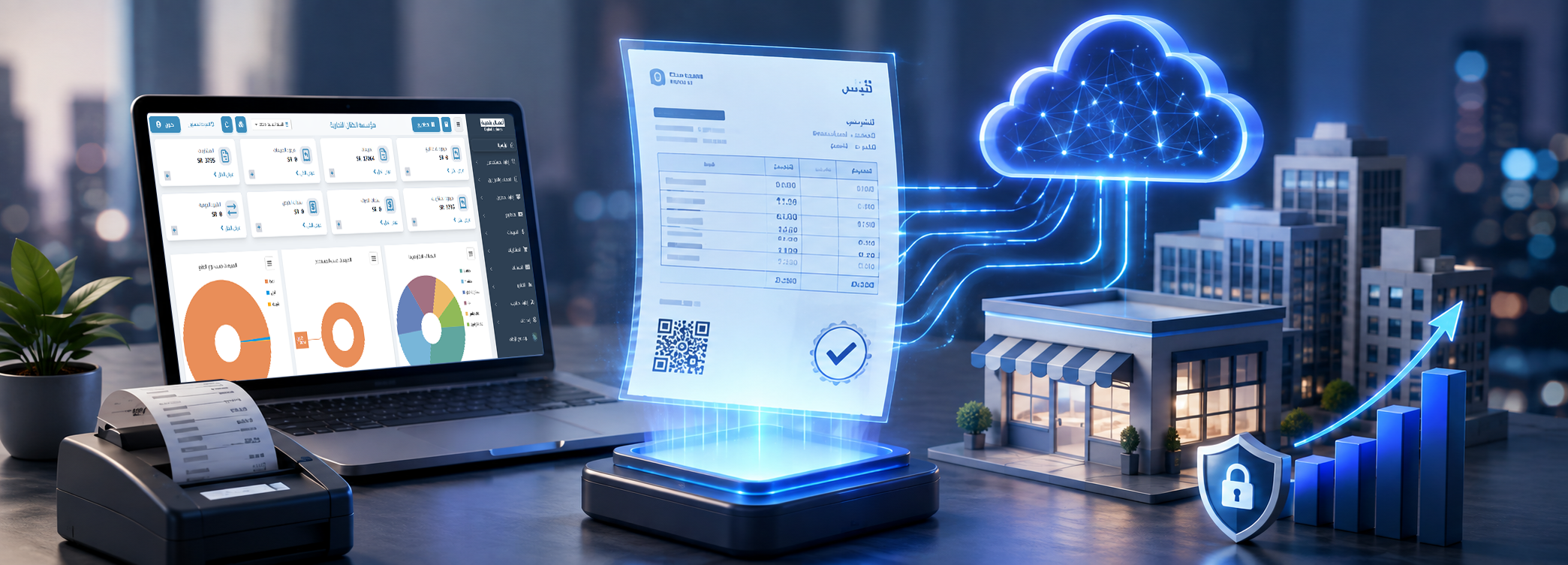
Phase 2 of E-Invoicing: Integration Guide in Saudi Arabia
Preparing for Phase 2 of e-invoicing is not limited to updating the invoice layout or adding a new QR code; the enterprise is required to integrate its invoicing systems with the "Fatoora" platform, configure issuance units, generate documents in the required electronic format, and track acceptance, warning, and rejection statuses.
Implementation becomes more challenging for organizations with multiple branches, POS terminals, or e-commerce channels, as requirements apply not just to the central accounting software, but to every unit that issues an electronic invoice or credit/debit note.
This guide explains the concept of e-invoicing, the difference between the Generation Phase and the Integration Phase, XML and PDF/A-3 formats, key Phase 2 e-invoicing requirements, approval and reporting mechanisms, and potential penalties. It also highlights the role of the DigitalPro accounting system in connecting e-invoicing with sales, inventory, accounts, and reporting across the organization.
What is an E-Invoice?
An electronic invoice is an invoice generated and stored in a structured electronic format via a technical solution, containing the required tax invoice elements. A handwritten invoice, a scanned paper invoice, or a document created in Word or Excel and saved as a PDF is not considered an e-invoice compliant with the framework.
E-invoicing covers:
- Sales invoices.
- Standard tax invoices.
- Simplified tax invoices.
- Credit notes.
- Debit notes.
- Tax and technical data associated with each document.
- Document archiving and audit trail logs.
- Sharing invoices with the customer and the Authority according to the applicable phase.
The "Fatoora" platform transforms the invoicing process from a standalone document into structured data that can be processed, verified, and shared electronically between the seller, buyer, and Zakat, Tax and Customs Authority (ZATCA). The Authority indicates that the framework officially consists of two phases: Generation and Archiving Phase, followed by the Integration Phase.
It is not enough for an invoice to merely bear the business name and tax number; it must be issued from a system that complies with rules regarding numbering, dates, taxes, totals, and record retention, and blocks functions that allow unauthorized deletion or sequence tampering.
Discover: What is an E-Invoice?
Importance of E-Invoicing
The importance of e-invoicing lies in documenting sales and taxes in a structured manner, improving data quality, and reducing reliance on paper documents and repetitive manual data entry.
E-invoicing helps businesses to:
- Document sales transactions.
- Calculate Value Added Tax (VAT).
- Organize customer accounts.
- Link invoices to inventory movements.
- Record receipts and payment methods.
- Manage returns and adjustments.
- Streamline tax return preparation.
- Maintain comprehensive transaction logs.
- Track invoices across branches.
- Reduce data entry errors.
- Improve auditability.
- Detect anomalous transactions.
- Enhance compliance and transparency.
When an invoice is generated from an integrated accounting system, sales, output VAT, customer account, payment method, and inventory movement are recorded simultaneously. However, using a standalone program just to print invoices forces accountants to re-enter data, increasing discrepancy risks between sales and general ledgers.
E-invoicing also supports consumer protection, as customers receive a clear document with verifiable data, enabling businesses to better manage returns, payments, and transaction rights.
Phases of E-Invoicing
The e-invoicing rollout in Saudi Arabia consists of two official phases: Generation and Archiving Phase, followed by the Integration Phase.
| Comparison Criteria | Phase 1 | Phase 2 |
|---|---|---|
| Name | Generation and Archiving | Integration |
| Launch Date | December 4, 2021 | Rolled out gradually starting January 1, 2023 |
| Fatoora Platform Integration | Not Required | Required for Targeted Businesses |
| Invoice Format | No specific standardized technical format | XML or PDF/A-3 containing XML |
| Additional Technical Fields | Limited | UUID, cryptographic stamp, and other technical elements |
| Invoice Sharing with Authority | Not directly required | Clearance or Reporting based on type |
| Scope of Application | All covered taxpayers | On targeted groups notified by the Authority |
| Issuance Devices | Electronic invoicing solution | Configuring and integrating all issuance units |
Phase 1 of e-invoicing applied generally to all taxpayers subject to the regulation, while Phase 2 is being implemented gradually in waves defined by ZATCA. Each targeted business receives a notification at least six months prior to their mandatory integration date.
Businesses must remain compliant with Phase 1 requirements even before entering the integration phase. Not receiving a Phase 2 notification does not permit returning to manual invoices or drafting invoices using word processing software.

E-Invoice Formats (XML and PDF/A-3)
Phase 2 invoices are issued in XML format or as a PDF/A-3 file embedding an XML file. Standard tax invoices are sent to the Fatoora platform in XML format for clearance.
XML Format
It is a structured data format designed for automated reading and processing by systems. It contains commercial, tax, and technical invoice fields structured strictly, and is not primarily designed for human readability in raw form.
XML is used for:
- Transmitting invoice data to the platform.
- Validating fields and compliance rules.
- Executing clearance or reporting.
- Exchanging data between systems.
- Archiving structured data for audit purposes.
PDF/A-3 Format
It is a format designed for long-term archiving that allows embedding an XML file within a human-readable PDF document. This provides the client with a readable copy while preserving structured data internally.
Generating a standard PDF file is insufficient, as regular PDFs display data visually but do not necessarily embed the required structured XML file.
ZATCA guidelines state that integration phase invoices must be issued in XML or PDF/A-3 embedding XML, and standard invoices must be submitted to the Fatoora platform in XML for clearance.
Phase 1 of E-Invoicing
The Generation and Archiving Phase mandated taxpayers to issue and store e-invoices and credit/debit notes electronically using a compliant technical solution.
Key requirements include:
- Stopping the issuance of handwritten invoices.
- Ceasing the use of Word or Excel as invoicing tools.
- Issuing invoices via an electronic system.
- Including all mandatory invoice elements.
- Adding QR codes where required.
- Using sequential invoice numbering.
- Archiving invoices and notes.
- Preventing document deletion after issuance.
- Using credit or debit notes for adjustments.
- Protecting login credentials.
- Maintaining an audit trail log.
Phase 1 did not impose a specific technical format like XML or PDF/A-3; invoices could be issued in any suitable electronic format, provided they originated natively from the solution rather than scanned paper documents.
Phase 2 of E-Invoicing
The Integration Phase adds to Phase 1 requirements by mandating system integration with the Fatoora platform along with additional technical and security parameters.
Includes:
- Connecting the invoicing solution with the Fatoora platform.
- Configuring each issuance unit.
- Generating compliant XML files.
- Generating Unique Universal Identifiers (UUID).
- Implementing invoice counters and sequence integrity.
- Applying cryptographic hash chaining of previous invoices.
- Applying cryptographic stamps when required.
- Including enhanced Phase 2 QR codes.
- Clearance for standard tax invoices.
- Reporting for simplified tax invoices.
- Tracking platform responses and status codes.
- Managing error and warning logs.
- Sharing required format with customers.
- Saving invoice and platform response payload.
Phase 2 integration with ZATCA is implemented in waves rather than a single deadline for all enterprises. Therefore, the official notification sent to the business serves as the primary reference for compliance dates.
What is Phase 2 of E-Invoicing?
Phase 2 is a technical and operational stage connecting an organization's invoicing systems directly with ZATCA's Fatoora platform.
It aims to enable the platform to:
- Receive invoices and notes.
- Inspect mandatory fields.
- Validate XML formatting.
- Apply compliance rules.
- Clear standard invoices.
- Receive reported simplified invoices.
- Return acceptance, warning, and rejection statuses.
- Ensure sequence and data integrity.
Integration does not mean sending a monthly file manually; it requires API integration between invoicing software and the platform, transferring documents seamlessly according to their type and processing method.
Phase 2 is rolled out in waves, with ZATCA notifying targeted taxpayers at least six months ahead of their mandatory integration date. There is no single deadline for all businesses; the correct timeline is the date stated in the organization's official notice or group announcement.

Requirements of Phase 2 E-Invoicing
Phase 2 requirements combine commercial, tax, technical, and security standards. They must be validated in an actual production environment rather than relying solely on claims of "ZATCA compliance."
Key requirements include:
Compliant Technical Solution
Must issue invoices and notes in structured formats while prohibiting modification, deletion, sequence resetting, or forbidden functions.
Fatoora Platform Connectivity
The system must communicate with the platform, send documents, and receive response payloads.
Issuance Unit Configuration
An issuance unit can be a POS terminal, server, or invoicing system. All units must be identified and configured according to corporate architecture.
Universally Unique Identifier (UUID)
Each document receives a unique identifier for technical tracking.
Invoice Counter
Systems use continuous counters to ensure sequence integrity and detect gaps.
Previous Invoice Cryptographic Hash
Chains each invoice to the previous one to enforce tamper resistance.
Cryptographic Stamp
Used to authenticate document origin and integrity based on invoice type and solution parameters.
QR Code
Must encode specified Phase 2 data rather than plain website links or generic text.
XML Format
XML schema must comply with ZATCA dictionaries and specifications.
Invoice & Note Management
Must support:
- Standard tax invoice.
- Simplified tax invoice.
- Credit note.
- Debit note.
- Reference to original document.
Audit Trail
Must retain user IDs, timestamps, document status, and platform responses.
Data Security
Includes user permissions, passwords, backups, cryptographic key protection, and preventing unauthorized access.
ZATCA provides an updated technical guide for system developers and invoicing solution providers, containing invoice specifications, data dictionaries, and security requirements necessary for implementation.
Workflow of Phase 2 E-Invoicing
Processing workflows differ between standard tax invoices and simplified tax invoices.
Standard Tax Invoice Processing
Mainly used in B2B transactions, following these steps:
The user inputs customer and line item data.
The software generates the invoice and XML file.
The invoice is sent to the Fatoora platform.
The platform validates data and compliance rules.
The invoice is cleared upon successful validation.
The platform returns the cleared XML payload.
The supplier shares the cleared invoice with the buyer.
The invoice and response payload are archived in the system.
Clearance must be completed prior to sharing the final standard invoice with the customer.
Simplified Tax Invoice Processing
Mainly used in direct B2C sales, following these steps:
The POS system generates the invoice.
The solution applies the cryptographic stamp and required QR code.
The invoice is issued to the customer.
The invoice is transmitted to the Fatoora platform via reporting.
Reporting must be completed within the specified timeframe.
Response payload status is saved.
Errors or rejected invoices are resolved.
ZATCA guidelines clarify that standard invoices undergo clearance, while simplified invoices are issued by integrated solutions and subsequently reported. Both types are generated in XML or PDF/A-3 containing XML according to Phase 2 requirements.
Technical Integration Steps Within the Business
Practical steps for e-invoicing integration can be arranged as follows:
Receive official ZATCA notice.
Determine compliance deadline.
Inventory branches and issuance devices.
Review software version readiness.
Clean enterprise and customer master data.
Review tax settings and item catalogues.
Configure issuance units.
Perform compliance testing.
Test invoices and credit/debit notes.
Migrate to production environment.
Monitor transmission statuses.
Handle warnings and errors.
Train end-users.
Periodically review audit reports.
Testing should not be limited to a single successful invoice. Test standard invoices, simplified invoices, returns, credit notes, discounts, partial payments, and offline network connectivity scenarios.
Importance of E-Invoicing Systems in Saudi Arabia
E-invoicing systems embed tax compliance directly into daily operational workflows, rather than assembling invoice data after sales periods end.
Key benefits include:
- Streamlining sales and invoicing.
- Improving tax data accuracy.
- Reducing document manipulation risks.
- Enhancing return tracking.
- Unifying data across branches.
- Supporting consumer protection.
- Simplifying audit procedures.
- Reducing manual data entry.
- Enhancing report precision.
- Linking invoices to inventory.
- Monitoring acceptance and rejection statuses.
- Increasing compliance operational efficiency.
Retail stores and restaurants specifically need POS integration with e-invoicing; high daily transaction volumes and multiple registers render manual processing unfeasible.
Restaurants can utilize accounting systems for restaurants and cafes that integrate dine-in, takeaway, and delivery orders with inventory, ledger, and e-invoicing, while ensuring full support for journal entries, VAT, and Fatoora platform requirements alongside order and inventory management.
Enterprises needing multi-branch management and remote financial oversight can leverage cloud accounting software, ensuring network speed, automated backups, permission controls, and offline emergency workflows are tested thoroughly.
Penalties for Non-Compliant Companies
Penalties vary depending on violation type, recurrence, and intervals between infractions. Certain e-invoicing violations begin with formal warnings before escalating to monetary fines upon repetition.
Violations associated with Phase 2 include:
| Violation | Penalty Schedule |
|---|---|
| Failure to integrate all invoicing systems and units | Warning, followed by progressive fines starting from 10,000 SAR |
| Failure to transmit invoices to the Authority | Warning, followed by progressive fines starting from 5,000 SAR |
| Failure to include mandatory invoice fields | Warning, followed by progressive fines |
| Failure to share invoices with customers in required format | Warning, followed by progressive fines |
| Deleting or altering invoices after issuance | Warning, followed by progressive fines |
| Failure to retain and archive invoices | Warning, followed by progressive fines |
| Failure to report system outages | Warning, followed by progressive fines |
| Including prohibited software features in the solution | Warning, followed by progressive fines |
Ready to try the system?
Start your free trial version or speak with our sales team to help choose the right solution for your business.
For the violation of failing to connect all invoicing systems, the initial sanction is a warning. Upon repetition, fines begin at 10,000 SAR, escalating to 15,000 SAR, 20,000 SAR, 30,000 SAR, 40,000 SAR, and reaching up to 50,000 SAR after sixth-time recurrence. Connecting two POS devices out of three is considered non-compliance with full integration rules.
Failure to share invoices or notes with ZATCA in the prescribed format and time frame starts with a warning, escalating to fines starting from 5,000 SAR depending on violation categorization and repetition.
Monetary fines should not be seen as the sole risk; unreadiness may cause:
- Invoicing operations shutdown.
- Accumulation of rejected documents.
- Sales ledger and report mismatches.
- Unconfigured branch registers.
- Complexities in handling returns.
- Loss of platform response logs.
- POS checkout bottlenecks.
Proactive preparation is significantly less costly than correcting errors post-integration deadlines.
Role of Digital Plus in Achieving Compliance
Digital Plus helps enterprises achieve compliance by providing accounting, POS, and cloud solutions supporting e-invoicing and Phase 2 requirements, in alignment with system features presented on the company website.
The solution provider's role includes:
- Reviewing operational models.
- Identifying invoice classifications.
- Inventorying branches and POS units.
- Configuring company parameters.
- Setting up VAT preferences.
- Configuring user roles and permissions.
- Preparing software for integration.
- Testing invoice and note generation.
- Training team members.
- Monitoring technical issues.
- Updating systems as required.
- Providing compliance-related reporting.
The Digital Plus website highlights its systems as fully Phase 2 compliant across accounting, POS, and e-invoicing solutions.
However, using a compliant solution does not relieve the business of its ultimate compliance responsibilities. Business owners and accountants must verify:
- Accuracy of corporate profile data.
- Configuration of all issuance units.
- Selection of correct invoice types.
- Handling and correction of rejected invoices.
- Securing user access credentials.
- Archiving records properly.
- Reviewing tax returns periodically.
- Adhering strictly to official notification dates.
You can explore Digital Plus software solutions to evaluate accounting, POS, restaurant, hotel, CRM, and reporting modules to select the solution fitting your operational workflow.
Features of DigitalPro Accounting System in Integrating with E-Invoicing and Systems
DigitalPro links invoice generation directly to sales, inventory, payments, journal entries, and reporting, replacing fragmented standalone invoicing tools.
Integration features include:
- Generating invoices directly from sales orders.
- Managing standard and simplified tax invoices.
- Automating VAT calculations.
- Recording adjustments and returns.
- Updating stock levels automatically.
- Linking invoices to customer accounts.
- Recording payment channels.
- Managing POS terminals.
- Defining granular user roles.
- Generating detailed sales reports.
- Tracking profits and inventory values.
- Creating automated journal entries.
- Managing multiple branches and warehouses.
- Providing cloud deployment options.
- Supporting multi-system API integration.
Using an integrated accounting system reduces variances between checkout registers, inventory counts, and financial ledgers since data flows through a unified operational cycle.
Smart reporting tools can be utilized to monitor sales, invoices, returns, stock, customers, and suppliers, empowering management and accountants to review records prior to tax filing or period closing.
Before final deployment, test the system across real-world scenarios:
Issuing a simplified invoice from POS.
Issuing a standard tax invoice to a corporate client.
Processing a partial return.
Generating a credit note.
Applying promotional discounts.
Processing multi-payment methods.
Closing POS cashier shifts.
Inspecting generated XML files.
Verifying QR code payloads.
Tracking invoice transmission statuses.
Testing offline network recovery.
Onboarding new issuance terminals.
Extracting VAT summary reports.
Reconciling sales revenues with journal entries.
You can request a free demo version or contact us to define branch count, issuance unit requirements, and custom integration setup for your enterprise.
Frequently Asked Questions
What is the difference between Phase 1 and Phase 2 of ZATCA?
Phase 1 is the Generation and Archiving Phase, requiring electronic solutions to issue and store invoices and notes. Phase 2 is the Integration Phase, mandating integration with ZATCA's Fatoora platform, XML format compliance, technical security requirements, and clearance or reporting workflows.
What is Phase 2 of E-Invoicing in Saudi Arabia?
It is the phase connecting taxpayer invoicing solutions with ZATCA's Fatoora platform. Rolled out gradually starting January 1, 2023, it applies to wave groups notified at least six months prior to their integration date.
What is Phase 3 of E-Invoicing?
As of this guide's publication, official ZATCA documentation defines only two official phases: Generation & Archiving Phase, and Integration Phase. There is no official "Phase 3" announced. Sequenced wave groups within Phase 2 are sometimes mistakenly referred to as a third phase.
When is the deadline for Phase 2 of ZATCA E-Invoicing?
There is no single deadline for all enterprises. Phase 2 applies gradually in waves, with specific integration dates defined per group following six-month advance notifications. Businesses must follow the date stated in their official ZATCA notice.
What does a tax invoice layout contain?
A tax invoice includes supplier and customer details, VAT registration numbers, invoice number, date, line item details, quantity, unit price, discounts, VAT rate, tax amount, and total values.
In Phase 2, it is generated in XML or PDF/A-3 containing XML, incorporating required technical fields. The human-readable rendering must match the underlying XML data exactly.
What is the maximum allowed limit for e-invoices?
There is no general maximum monetary limit for an electronic invoice. Simplified invoices can be issued to consumers regardless of transaction value.
For B2B transactions under 1,000 SAR, simplified invoices may be issued under specific guideline conditions. This rule governs invoice category selection rather than imposing a cap on e-invoicing amounts.
How do I verify if an e-invoice is valid?
Verify that:
- It was generated from an electronic solution.
- Supplier name and VAT number are correct.
- Invoice date and sequence are accurate.
- Line items and totals are clear.
- VAT calculations are correct.
- A compliant QR Code is present where applicable.
- Human-readable content matches XML payload.
- The invoice was not edited after issuance.
- Clearance or reporting status is successful.
ZATCA also provides a QR code scanning verification service to check invoice validity.
What is the penalty for failing to integrate with ZATCA?
Failing to integrate all invoicing units begins with a formal warning. Repeated non-compliance triggers fines starting at 10,000 SAR, escalating to 15,000 SAR, 20,000 SAR, 30,000 SAR, 40,000 SAR, and up to 50,000 SAR for subsequent infractions.
What is the penalty for late VAT payment?
Late payment penalties depend on governing statutory regulations and liability origination dates. Fines have undergone updates; businesses should verify current account notices with ZATCA.
Recent ZATCA framework updates lowered late payment penalties from 5% to 2% under specific conditions and caps, while older liabilities remain subject to rules active during their tax periods.
What is the penalty for not registering for e-invoicing?
There is no standalone "e-invoicing registration" process. Businesses register for VAT once eligibility thresholds are met, which obligates them to comply with e-invoicing rules and integrate upon Phase 2 targeted notifications.
Failure to register for VAT within mandatory statutory timelines carries a 10,000 SAR penalty. E-invoicing infractions follow specific tiered penalty schedules based on violation type and frequency.
What is the Integration Phase in e-invoicing?
It is the official name for Phase 2, where invoicing units connect directly to the Fatoora platform, generating structured documents for standard invoice clearance or simplified invoice reporting along with security fields.
E-Invoice Technical Specifications (XML and PDF/A-3)
XML is the structured data format read and processed by systems and platform APIs. PDF/A-3 is a long-term archiving document that embeds the XML file internally.
In Phase 2:
- Invoices are issued as XML or PDF/A-3 embedding XML.
- Standard invoices are submitted to the platform as XML payload.
- Visual invoice copies must match underlying XML data.
- Mandatory tax and technical parameters must be populated.
- Standard PDF files are not valid replacements for XML.
Conclusion
Phase 2 of e-invoicing represents a transition from local document generation to direct real-time integration with ZATCA's Fatoora platform. Achieving compliance requires compliant technical software, clean master data, complete unit configuration, thorough testing, and active response tracking.
Do not wait until integration deadlines near. Conduct an inventory of branches and POS terminals, review invoice workflows, and test XML generation, QR codes, returns, and offline failure modes today.
Start Managing Your Business with Total Flexibility
Try Digital Plus for free. Start issuing ZATCA-compliant e-invoices within minutes.
- Free trial without credit card
- 24/7 technical support
- ZATCA compliant