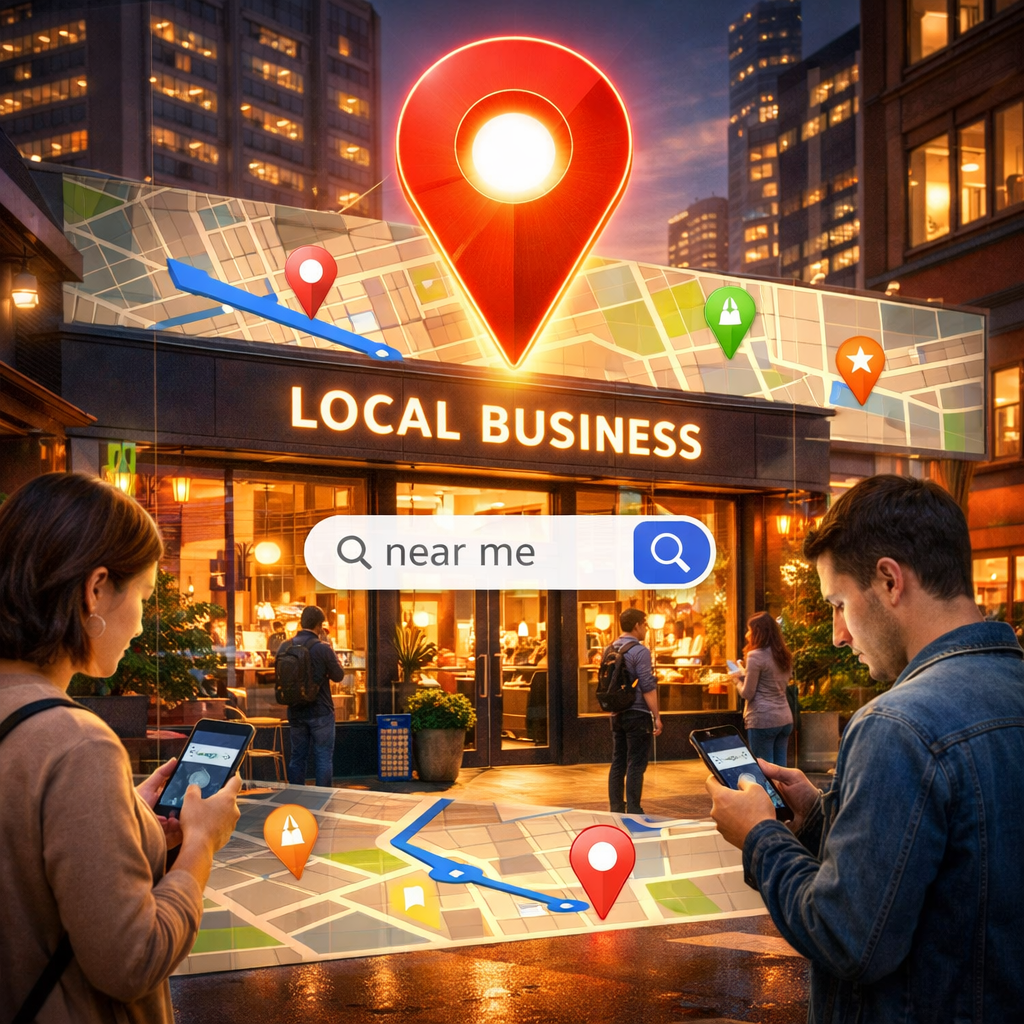
How do you show up in Near Me search results on Google?
In today's world, mobile phones have become the constant companion of every shopper. Have you ever thought about how many times you've opened your phone and typed a pizzeria near me or a clothing store nearby? If you own a physical store or provide services in a specific geographic area, your visibility in these results is not just a luxury, it's a lifeline that connects you to customers who are ready to buy now. In this article, we'll take you on a comprehensive and simplified journey to understand how Google works in ranking local results, and how you can – in practical and easy steps – make your store top of this list, even if you're not a technical expert.
What are searches near me and why are they important?
Simply put, when someone searches for a service or product followed by the word "near or near me," Google uses GPS or IP address technologies to show them the closest options available. The importance of this research lies in the high purchase intent. The person looking for a pharmacy near me is not looking for fun, but is often on their way out or looking for the nearest place to visit immediately. Statistics show that a large percentage of this research turns into actual store visits within a few minutes or hours.
Golden Box or Local Pack
When you search for something local, Google shows a map with only three stores underneath it. This is called the Local Pack. This is the most expensive property on the internet because most users click on one of these three options and don't bother to search the following pages. Our goal in this guide is to help you reserve a seat for your shop in this golden square.
Step One: Your Business Profile on Google Business Profile
This is the most important and impactful step. Google Business, formerly known as Google My Business , is your official identity on Google Maps and the search engine.
Own and document the file
First, make sure you have the authority to manage your file. Search for the name of your store in Google, if the file appears and you find the phrase "Do you own this business?" Own this business?, it means you need to claim and document it. Authentication is often done via a code you receive in the mail or a phone call. Data Accuracy NAP Database There is a golden rule in local search called NAP, which is an abbreviation for:
-
Name: The name of your store as it actually is.
-
Address: Your accurate and clear address.
-
Phone Number: Your local phone number.
This data should be exactly the same everywhere on your website, Facebook page, Instagram, and directories of locations. Any slight difference such as typing King Fahd Street in one place and King Fahd Road elsewhere may confuse Google's algorithms and reduce their trust in your data.
Images are the language of the age
files that contain images that attract more customers by a very large percentage. Don't just take one photo; add photos of:
-
The storefront is on the outside to make it easier for people to find you.
-
The store is interior and décor.
-
Products you sell.
-
The team is serving the customers.
Pictures give an impression of confidence and make the customer feel intimate before they visit you.
Step Two: The Magic of Ratings and Reviews Google Reviews
If Google Business is the body, then reviews are the soul. Google loves stores that people like. Studies have proven that the number of ratings and their star score is the biggest factor in topping results near me.
How do you get more ratings?
-
Simply ask for it: Feel free to ask for a rating from satisfied customers. You can say, if you liked our service today, we would be very grateful if you would leave us a review on Google.
-
Use technology: Print a QR code and place it at the billing box or on the tables, so that the customer can scan it with their phone and go directly to the evaluation page.
-
Respond to reviews: Whether positive or negative, always respond to them. Thanking a satisfied customer shows your interest, and responding politely to an angry customer shows your professionalism and your attempt to improve the service.
Important Tip: Never try to buy fake reviews or offer gifts and discounts in exchange for a positive review. Google is very clever at exposing these methods, and it may penalize your store with a permanent deletion.
Step Three: Exploiting Social Media
Search is no longer limited to Google only. Today's younger generation is using TikTok and Instagram as search tools to find new places.
-
Location Tags
Every time you post a photo or video of your products, make sure to add a tag or location tag for your store. This helps make your posts visible to people who are browsing content near them. -
Encourage customers to check in
Encourage your customers to photograph their experience in your store and add your location to your Instagram or TikTok story. For example, you can provide a photo angle with a beautiful décor and good lighting that motivates people to take and share photos. This kind of free advertising tells Google and other platforms that your niche is active and loved.
Step Four: Prepare Your Website for Local Search
Even if you rely on actual traffic, your website plays a big role in telling Google where you are and where you specialize.
-
Local keywords
Instead of typing we sell the best coffee, type we sell the best coffee in [your city name]. Adding the name of the city or neighborhood in your site's text, in headlines, and in the Meta Description helps Google connect you geographically to the area. -
Smart Website Structuring
If you have more than one branch, don't put them all on one page. Assign a separate page for each branch that contains:-
The address of the branch and its own telephone number.
-
The opening hours of this branch.
-
Built-in Google Map Embedded Map.
-
A simple description of the neighborhood or nearby landmarks.
-
Step Five: Building Local Authority
Google looks at how connected you are to your local community. Via Backlinks. When a local news site writes about your store, reminds you of a niche blog in your city, or co-sponsors a local event and your site link is placed on the event page, it gives a strong signal to Google that you're a trusted and prestigious business in that area. Always try to build relationships with other business owners in your area, and get involved in community initiatives, this not only benefits your real-world reputation, but also elevates your digital ranking.
Common mistakes to avoid
-
Neglect to update data: Changing your phone number or working hours without updating them on Google causes great frustration for customers Imagine a customer who travels a distance to find your store closed while Google says it's open!
-
Repeat words uncomfortably: Don't try to stuff your city's name into each sentence unnaturally. Write to humans first, and Google will understand the context.
-
Ignore questions: In your Google Business profile, there's a Q&A section. Make sure to answer people's questions quickly, or even write down the FAQ and answer them yourself to make it easier for customers.
Frequently Asked Questions about Near Me Results
-
How long does it take to show up in the first results?
There is no set time, it depends on the strength of the competition in your area. Some changes, such as adding photos or updating business hours, may show results within days, but building a strong reputation and many reviews can take weeks or months. Continuity is the secret. -
Can only online stores without headquarters appear in these results?
Unfortunately, no. Results Near Me The map is for businesses that have a physical headquarters that receive customers, or provide services in customers' homes such as cleaning or plumbing companies. If your business is entirely online, you should focus on traditional SEO instead of local search. -
Does voice search affect these results?
Yes, and by a lot. When someone asks Siri or Alexa: Where's the nearest laundrom?, these devices are primarily based on Google Business Profile data. So, the accuracy of your data makes you the first choice in the age of voice search.
Localized search results aren't magic, it's a result of paying attention to small details and providing a good customer experience. Don't try to do everything in one day. Start today by documenting your business profile and updating your details. Tomorrow, ask three customers to leave an honest review. Tomorrow, take two beautiful photos of your store and upload them. Over time, you'll find that these simple steps have turned into a steady stream of new customers who found you simply because you were near them when they needed you.
Always remember: Google wants to give the user the best possible answer. Be the answer with honesty, clarity, and constant interaction with your local audience.